

- Regular Price : 46,000৳
- Product ID : 163
- Status: In Stock
- Brands: Ubiquiti
- Model: PBE-5AC-Gen2
- SKU: In Pair
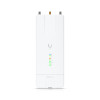
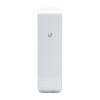
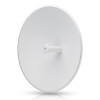
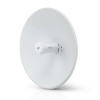
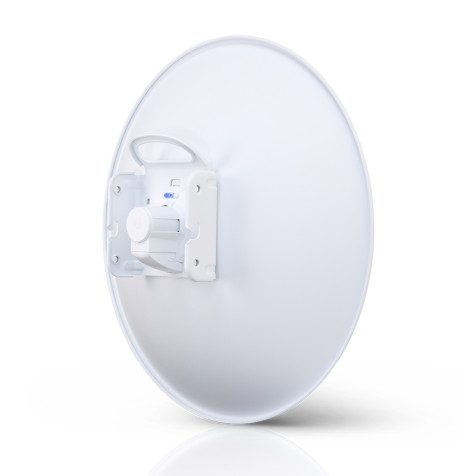
Ubiquiti PBE-5AC-Gen2 airMAX PowerBeam 5AC – High-Performance 5GHz Wireless Bridge | 450+ Mbps, Long-Range PtP & PtMP Link
High-performance 5 GHz Point-to-Point (PtP) bridge with integrated dish reflector.
Boost your wireless connectivity with the Ubiquiti PBE-5AC-Gen2 airMAX PowerBeam 5AC, a powerful 5GHz wireless bridge designed for ultra-fast 450+ Mbps throughput. Ideal for long-distance Point-to-Point (PtP) and Point-to-Multipoint (PtMP) links, this advanced outdoor WiFi radio ensures superior performance with 25 dBi high-gain directional antenna, airMAX AC technology, and low-latency data transmission. Perfect for ISP backhauls, surveillance networks, and remote connectivity, the PowerBeam 5AC Gen2 offers enhanced signal stability, weatherproof durability, and easy remote management via airOS 8.
Key Features:
- Ultra-Fast Speeds: Up to 450+ Mbps wireless data rate
- Long-Range Coverage: Reliable 20+ km (12+ miles) connectivity
- 5GHz High-Gain Antenna: 25 dBi directional antenna for focused signal strength
- Advanced airMAX AC Technology: Maximized throughput and low latency
- Weatherproof & Durable: Built for harsh outdoor conditions
- Easy Setup & Management: Controlled via airOS 8 & UMobile App
Perfect for rural broadband, enterprise networking, remote CCTV, and ISP deployments, the PBE-5AC-Gen2 PowerBeam is your go-to solution for high-speed, long-distance wireless networking.
Build Features:

Ubiquiti Default IP & Login Credentials:
Default IP Address:
192.168.1.20
Default Login Credentials:
Username:
ubntPassword:
ubnt
Accessing the Ubiquiti Device:
Connect your PC to the Ubiquiti device via Ethernet.
Set your computer's IP to 192.168.1.x (e.g., 192.168.1.10).
Open a web browser and enter http://192.168.1.20.
Log in with ubnt / ubnt as username and password.
Important Notes:
-
For security reasons, change the default credentials after login.
-
If the login fails, reset the device by holding the reset button for 10+ seconds until it reboots.
-
Some newer Ubiquiti devices may require setting up a new password on first login.
From Same Brand